
TL;DR | High-resolution source files often fail because of aggressive platform compression algorithms. To maintain visual clarity, you must match your bitrate encoding to the specific requirements of mobile-first vertical players. Shooting in 4K is only half the battle; the "Technical Handshake" happens during the export process where we lock in data rates that survive the upload.

Field Notes & Insights
By David Cox
ESTIMATED READING TIME: 2 MINUTES
Field Observations: The Bitrate Encoding Protocol
SUBJECT: Post Production Fidelity
LOCATION: Asheboro, NC
ELEVATION: 843 ft
LOG DATE: March 10, 2026
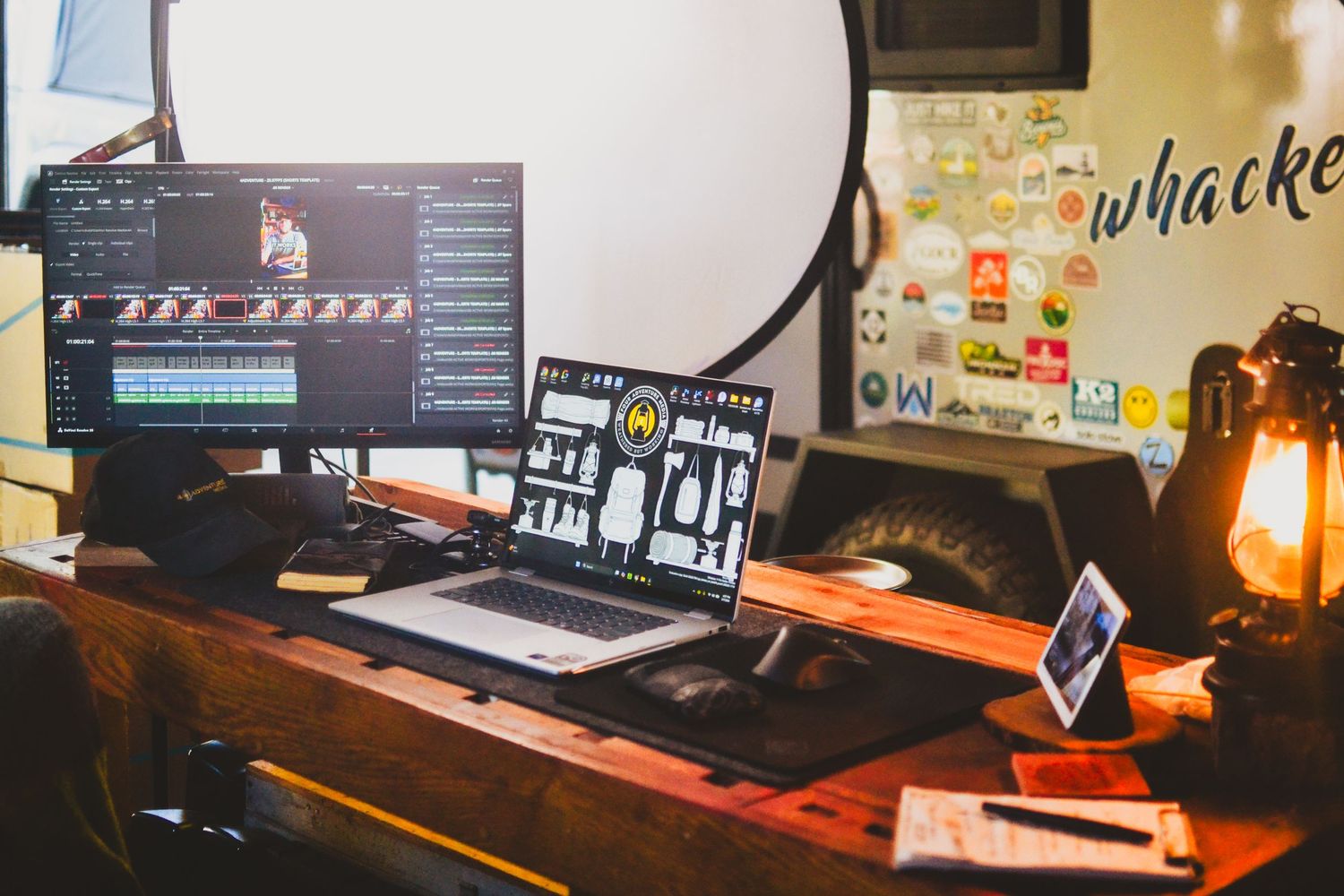
I spent yesterday afternoon in the studio recalibrating export presets for a new batch of vertical content. It is frustrating to watch a crisp 4K image turn into a pixelated mess the moment it hits a mobile feed.
The Myth of Resolution
Most creators believe 4K resolution guarantees a sharp image. This is false. High resolution without proper bitrate allocation creates "digital artifacts" during movement.
We deploy CBR (Constant Bitrate) allocation at 25Mbps+ to bypass aggressive HEVC transcoding loss on mobile-first players. This anchors the visual data so the social platform doesn't have to "guess" which pixels to throw away.
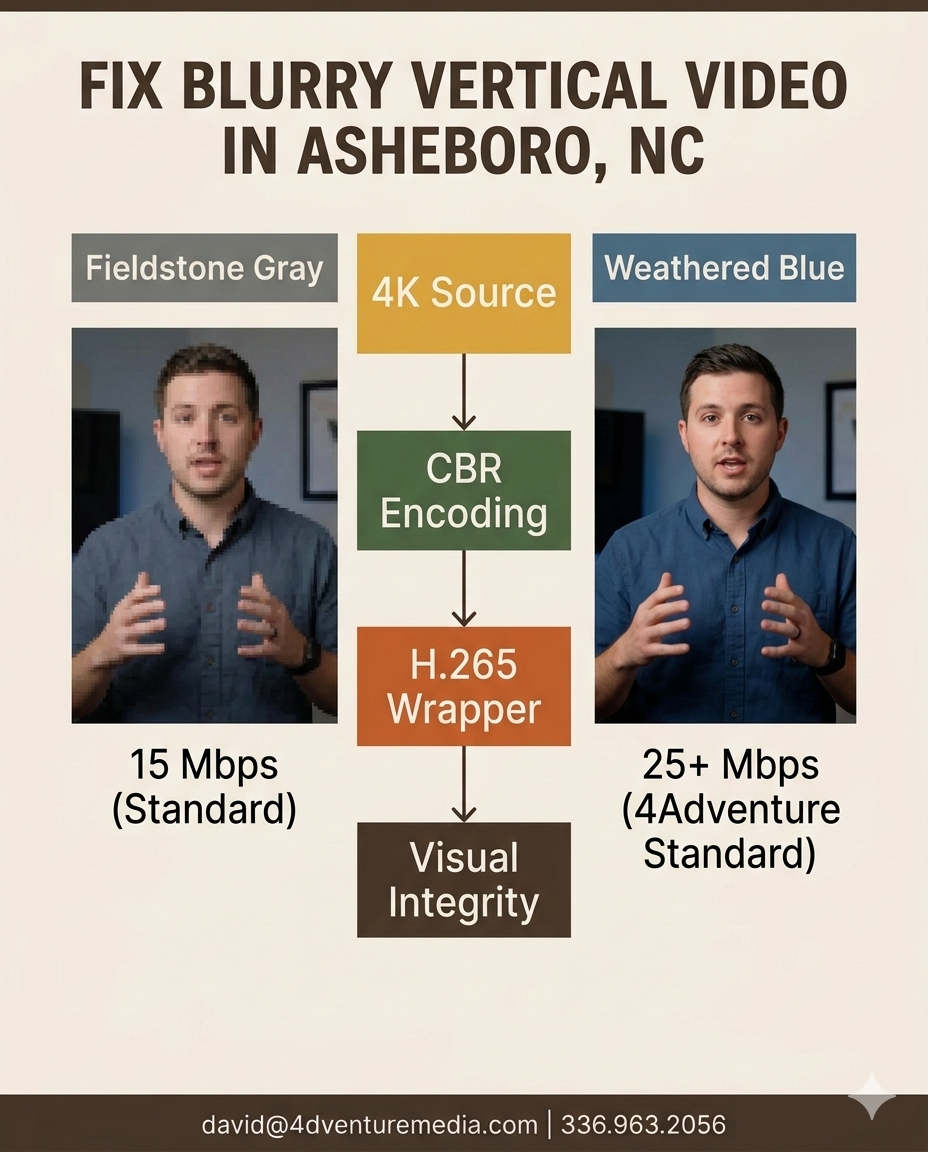
Fig. 1.2 Calibrating hardware encoders in the Asheboro studio to bypass mobile platform compression.
Lighting Over Glass
A common mistake is buying a $4,000 camera while ignoring lumen output. Even the best H.265 hardware encoder cannot fix a noisy, underexposed image.
I set my key light to 60% power to pull the subject away from the background. Maintaining high Luminance Contrast Ratios reduces inter-frame compression artifacts in low-light digital sensors.
Interactive Self-Audit
| System Factor | Your Current Situation | What That Usually Means |
|---|---|---|
| Export Codec | Using default "YouTube" presets | Suboptimal data compression for vertical feeds. |
| Bitrate Target | Under 15 Mbps for 4K | Your video will look "muddy" during fast motion. |
| Color Space | Unmanaged Rec.709 | Colors appear washed out or "thin" on mobile screens. |
Moving from Digital Brochure to Lead Engine
I recently ran a technical crawl for a client in the Triad and discovered 42 broken internal links. These weren't just "dead pages"—they were high-intent buttons where customers were trying to spend money. By implementing Server-Side 301 Redirects, we reclaimed that traffic and restored their Entity Authority within 48 hours. This is the difference between a site that looks good and a site that actually works.
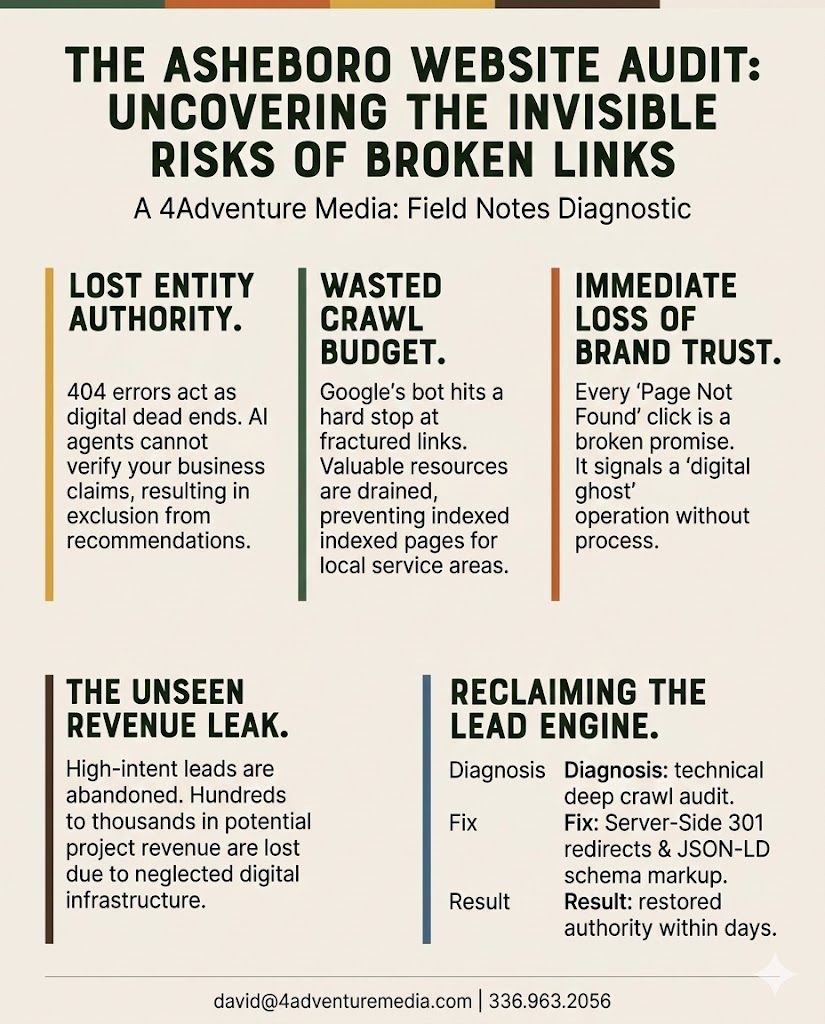
Fig 1.3: Side-by-side comparison of DaVinci Resolve export windows showing bitrate spikes.
FAQ
Does 4K resolution actually matter for short-form video?
Resolution is secondary to how the platform handles your data rate. While 4K provides more "padding" for cropping, the bitrate encoding determines if the final file stays sharp. I recommend exporting at a higher rate than the platform requires to account for transcoding loss.
Why does my video look different on my phone than on my computer?
Most mobile devices use OLED displays with high peak brightness and specific color profiles. If you do not calibrate your post-production monitor, your "Technical Handshake" with the viewer's screen will fail. This often results in crushed blacks or oversaturated skin tones in the Triad sun.
What is the best export codec for 2026?
The H.265 (HEVC) codec is the current gold standard for high-fidelity vertical video. It offers superior compression efficiency compared to older formats. This allows you to keep file sizes manageable while retaining the fine details of your professional commercial videography.
How do I stop my videos from looking "choppy"?
Ensure your shutter speed is exactly double your frame rate to maintain natural motion blur. This is known as the 180-degree rule. If your shutter angle is off, the encoder struggles to process the frames, leading to a "stuttering" effect during playback.
Not sure where to start? Let's figure it out together.
Ready to stop fighting the algorithm and start showing up in high definition? Let's fix your workflow.
I'm just a message away. You can reach me directly through e-mail at inquiry@4adventuremedia.com or by calling/texting 336.963.2056 for a personalized call.

YOUR PARTNER ON THE JOB SITE
David Cox | Founder & Creative Lead
"I don't just film projects; I document the grit of the trades. With over a decade of experience, I help NC Triad professionals turn their hard work into high-ticket authority."
May 4th, 2026
Why Asheboro Contractors Lose High-Ticket Bids to "Scruffy" Competition
Website Conversion, Contractor Branding, Local Business Marketing, Visual Trust, Central North Carolina

March 25th, 2026
Why Homeowners Ghost Your Estimates | Asheboro NC
Website Conversion, Construction Marketing, Contractor Branding, Local Business Marketing, Visual Trust
March 23rd, 2026
